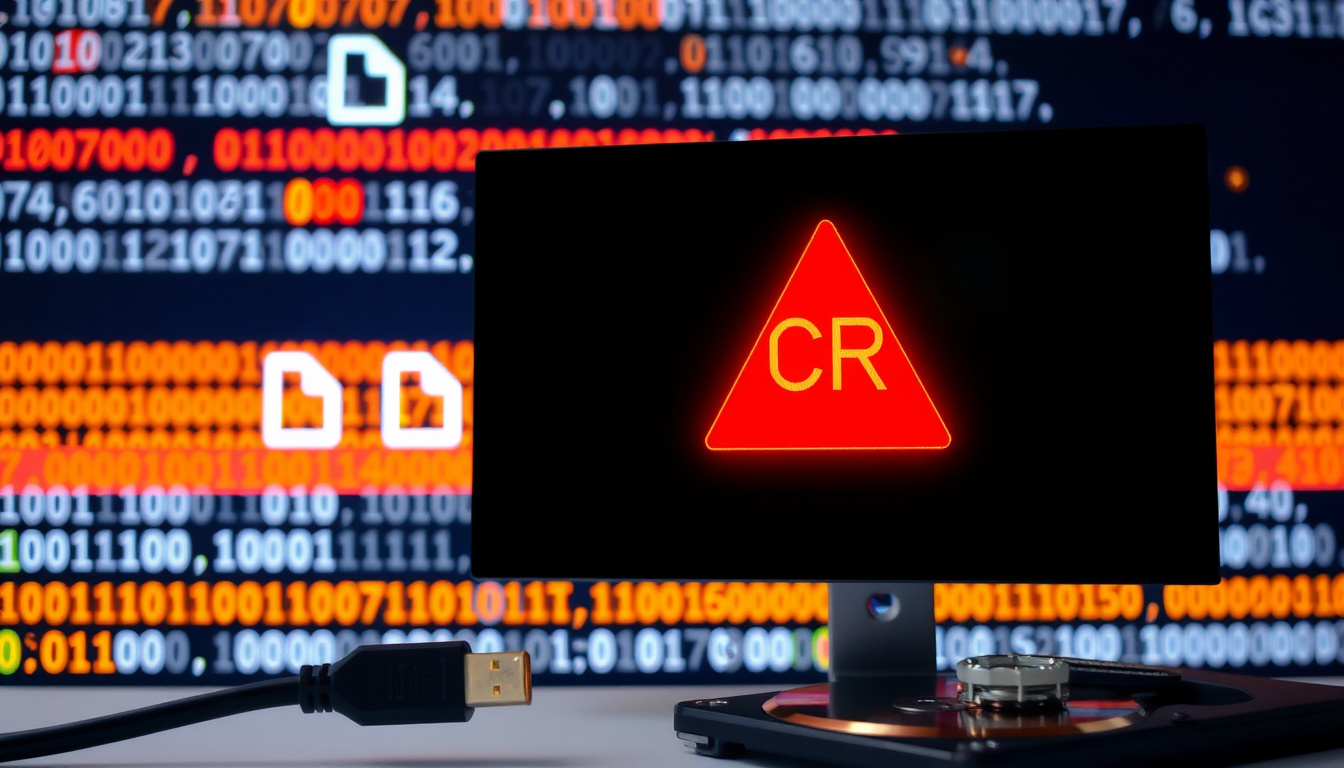

Few things kill a smooth workflow faster than a cryptic CRC error when you’re in the middle of a file transfer or network setup. That checksum mismatch — whether it pops up on a Cisco switch console or inside a Windows dialog — means something went wrong between sender and receiver.
Common CRC Variant: CRC-32 (32-bit polynomial) ·
Error Detection Capability: All single-bit and double-bit errors, plus burst errors up to 32 bits ·
Primary Causes: Faulty cables, duplex mismatches, bad NICs, electromagnetic interference ·
Use Cases: Ethernet, Wi-Fi, RAID storage
Quick snapshot
- CRC errors indicate data corruption during transmission (IBM Support (official technical documentation))
- CRC-32 detects every single and double-bit error (Wikipedia (reference encyclopaedia))
- Exact root cause may require advanced diagnostics beyond basic error counters (Cisco Meraki Documentation (networking equipment vendor))
- Some data recovery methods fail if media is severely damaged (Setra Systems (sensor and measurement manufacturer))
- CRC errors have been part of digital communication since the 1960s; first CRC algorithm published by W. Wesley Peterson in 1961 (Wikipedia (reference encyclopaedia))
- Network engineers increasingly use automated cable testers and SFP diagnostics to isolate CRC sources before manual replacement (Cisco Meraki Documentation (networking equipment vendor))
Four key details that define CRC error detection in practice:
| Attribute | Value |
|---|---|
| CRC Algorithm | CRC-32 (32-bit polynomial) |
| Error Detection | Detects all single-bit and double-bit errors |
| Primary Use | Ethernet, Wi-Fi, RAID, compressed archives |
| Typical Cause | Physical layer issues (cable, NIC) |
What is a CRC Error?
What is Cyclic Redundancy Check (CRC)?
- A cyclic redundancy check (CRC) is an error-detecting code commonly used in digital networks and storage devices (Wikipedia (reference encyclopaedia))
- CRC works by computing a short checksum from the data before transmission and appending it to the frame footer; the receiver recalculates the checksum and compares the two values (IBM Support (official technical documentation))
- A mismatch signals that the data was altered in transit — a CRC error.
What does a CRC error mean?
- It means the receiver calculated a different check value than the one encoded in the frame or packet, indicating data corruption in transit (IBM Support (official technical documentation))
- On a SAN, IBM describes CRC errors as damaged frames (IBM Support (official technical documentation))
- In networking, a CRC error flagged by the switch means that at least one bit in the incoming frame was corrupted during transmission (Cisco Meraki Documentation (networking equipment vendor))
A single CRC error on a core switch port can cascade into retransmissions, increased latency, and ultimately dropped connections for every device downstream. Network engineers who ignore rising CRC counters risk compounding physical-layer faults into application-level outages.
The implication: CRC errors are never a software glitch — they are a physical-layer or hardware integrity alert. Treat them as the network’s way of saying “something in the wire is wrong.”
What Causes a CRC Error?
Why am I getting CRC errors?
- Common network causes include electrical interference, faulty hardware, transmission issues, noise, poor wiring, and bad cables (Cisco Meraki Documentation (networking equipment vendor))
- Setra Systems also lists packet errors caused by unstable communications, noise or interference during transmission, and poor wiring as causes (Setra Systems (sensor and measurement manufacturer))
- On storage media, CRC errors can be associated with bad sectors or issues with the disk itself (Setra Systems (sensor and measurement manufacturer))
What causes CRC errors on Cisco switches?
- Cisco Meraki identifies speed/duplex mismatch as a common culprit — if one side of the link is set to full-duplex and the other to half-duplex, collisions can trigger CRC errors (Cisco Meraki Documentation (networking equipment vendor))
- Faulty cables or connectors, heat-damaged SFPs, and electromagnetic interference from nearby power lines are frequent physical causes.
- IBM notes that on a Fibre Channel SAN, CRC_Good_EOF increasing on a device port indicates that link is the source of the problem; on an ISL port it points to a bad link between switches (IBM Support (official technical documentation))
CRC errors often have multiple overlapping causes — a loose cable plus a worn SFP can produce the same symptom. The diagnosis requires systematic isolation, not guesswork.
The pattern: CRC errors are almost always physical. If you see them on an interface, start with the cable and connector, then move to the NIC, then to the switch port configuration.
How Do I Fix a CRC Error?
Can you fix CRC errors?
- Yes — CRC errors are often fixable by isolating and replacing the faulty component.
- Cisco Meraki recommends moving the cable to a different switch port as an early troubleshooting step to see if the CRC errors follow the cable/device combination (Cisco Meraki Documentation (networking equipment vendor))
- IBM advises iteratively replacing parts — cables, SFPs, NICs — clearing statistics, and monitoring for hours to a day until errors stop increasing (IBM Support (official technical documentation))
How to solve a CRC problem?
- For networking: Correct speed/duplex mismatches; replace faulty cables, SFPs, and network interface cards; reseat connections; check for electromagnetic interference sources.
- For storage in Windows: Run
CHKDSKto scan for bad sectors and recover readable data; usesfc /scannowto check system file integrity. - For corrupted files: Re-download or re-transfer the file from the original source — a CRC error on a download often means the file was corrupted during transfer.
- For firmware/drivers: Update the firmware on network switches and the drivers on NICs — outdated firmware can cause buffer underruns that produce CRC errors.
How to fix a data error cyclic redundancy check in Windows
- Open Command Prompt as administrator and run
chkdsk X: /f /r(replace X with the drive letter) — this attempts to repair file system errors and recover bad sectors (Microsoft Support (OS developer documentation)) - If CHKDSK fails or the drive is unreadable, use third-party data recovery tools that can bypass CRC checking to retrieve intact files.
- For external drives, try connecting to a different USB port or a different computer to rule out a faulty USB controller.
CRC error fix success depends on isolating the component that introduces bit errors. For network admins, that means swapping cables first; for home users with a bad hard drive, it means running CHKDSK before paying for data recovery.
How to Check for CRC Errors?
How to check CRC errors in Cisco switch?
- Use the command
show interface [interface_id]on Cisco IOS or Meraki dashboard. Look for “CRC errors” or “CRC” counter in the output (Cisco Meraki Documentation (networking equipment vendor)) - For Fibre Channel switches, IBM recommends using
porterrshowandportstatsshow Nto display error statistics and detailed per-port counters (IBM Support (official technical documentation)) - On Windows, check Event Viewer under “System” logs for disk or network adapter warnings referencing CRC.
- Hard drive CRC errors can be seen in the S.M.A.R.T. status — use tools like CrystalDiskInfo to read S.M.A.R.T. attributes.
Monitoring CRC counters gives you an early warning, but only if you have a baseline. A switch that’s been running for years with 10 CRC errors may not need immediate action; a port that jumps from 0 to 500 in an hour demands investigation.
Why this matters: regular CRC monitoring turns invisible physical degradation into actionable data. Without it, you replace parts blind.
How to Take Files Off a Drive with a CRC Error?
- Use
ROBOCOPYwith the/R:3 /W:5option to retry failed copies up to three times; add/ZBto restart in restartable mode (Microsoft Documentation (OS developer documentation)) XCOPYwith/C /R /Ycan continue copying despite errors — useful for retrieving partial data.- Some file copy utilities (like Teracopy or FastCopy) allow disabling CRC verification during copy, which bypasses the error and copies raw data.
- Connect the failing drive as a secondary (non-boot) drive to avoid Windows boot-time CRC checks that block access.
- If the drive has bad sectors, data recovery software such as R-Studio or Recuva can read sectors multiple times and reconstruct files from intact parts.
The practical reality: if a drive is throwing CRC errors on every read, your window for data recovery is shrinking. Prioritize the most critical files first, using the most aggressive retry settings.
Step-by-Step Troubleshooting Guide
- Identify the affected component. Note which interface or drive shows CRC errors. Record the error count.
- Swap the cable. Replace the Ethernet cable or SATA cable with a known-good one. Clear error counters and monitor.
- Swap the port/connector. Move the cable to a different switch port or drive bay. If errors follow the cable, the cable is bad; if they stay on the same port, the switch port or disk controller may be faulty (Cisco Meraki Documentation (networking equipment vendor))
- Check duplex and speed settings. On network interfaces, verify that both ends match (e.g., both 1 Gbps full-duplex). Correct mismatches (Cisco Meraki Documentation (networking equipment vendor))
- Reseat or replace SFPs/GBICs. Clean connectors and reseat. If CRC errors persist, replace the transceiver.
- Inspect for electromagnetic interference. Relocate cables away from power lines, motors, and fluorescent lights.
- For hard drives: Run
chkdsk /f /r. If the drive is failing, clone it with ddrescue or similar tool. - Monitor and confirm. Clear counters, wait 24–48 hours, and verify that CRC errors no longer increment.
The trade-off: systematic isolation takes time, but it prevents replacing expensive components unnecessarily. The cable is the cheapest and most common fix — start there.
Clarity Check
Confirmed facts
- CRC errors are caused by bit errors during data transmission or storage.
- CRC-32 can detect all single-bit and double-bit errors (Wikipedia (reference encyclopaedia))
- Faulty cables and hardware are common sources (Cisco Meraki Documentation (networking equipment vendor))
- IBM recommends iterative part replacement to isolate faulty components (IBM Support (official technical documentation))
What’s unclear
- Exact root cause may require advanced diagnostics beyond basic counters (Cisco Meraki Documentation (networking equipment vendor))
- Some data recovery methods may not work if media is severely damaged (Setra Systems (sensor and measurement manufacturer))
- Using
show interfaceon Cisco switches reveals CRC error counters — but the exact command may vary by platform (Cisco Meraki Documentation (networking equipment vendor))
The distinction between confirmed and unclear helps prioritize troubleshooting efforts.
Expert Perspectives on CRC Errors
CRC is used as a means of detecting errors in transmitted data.
Cisco Meraki Documentation (networking equipment vendor)
A cyclic redundancy check (CRC) is an error-detecting code commonly used in digital networks and storage devices.
Wikipedia (reference encyclopaedia)
A CRC error is an error-detecting code used to identify accidental changes to raw data.
Setra Systems (sensor and measurement manufacturer)
CRC signature error due to electromagnetic interference.
Siemens Support Forum (industrial automation community)
For network administrators managing Cisco gear or home users facing a “data error cyclic redundancy check” message, the core lesson is the same: CRC errors are a physical-layer symptom. Whether you’re inspecting a What Is DNS Cache? Definition, Safety, and How to Flush It to understand separate network issues or looking at USB C to USB: Adapters, Compatibility, and Charging Guide for hardware connectivity, the principle of layer-1 integrity holds. For the IT professional in any organization, the choice is clear: invest in good cables and proper cable management, or spend hours chasing phantom errors.
Bottom line: A CRC error is a physical-layer integrity alert, not a software bug. For network engineers the fix is cable replacement and duplex verification; for home users it is running CHKDSK and re-downloading files. Both groups must act quickly — delayed action risks data loss or network degradation.
For those who encounter this issue frequently, a detailed CRC error guide offers step-by-step fixes for both networking and storage scenarios.
Frequently asked questions
What is the difference between CRC and a simple checksum?
A simple checksum adds up bytes and is weak against certain error patterns. CRC uses polynomial division to produce a mathematically stronger check — CRC-32, for example, catches all single and double bit errors, which a simple sum cannot guarantee (Wikipedia (reference encyclopaedia)).
Can CRC errors cause permanent data loss?
Yes — if the data source (e.g., a hard drive sector) has physical damage, the original data may be lost. However, CRC errors during transmission do not permanently corrupt the source data; the receiver just discards the corrupted frame (IBM Support (official technical documentation)).
Are CRC errors always fixable?
Not always. If the underlying hardware is permanently damaged (e.g., a fractured PCB trace or a burned SFP), replacement is the only fix. Software fixes only work for transient interference or incorrectly reported errors.
How do CRC errors affect network performance?
Each corrupted frame is discarded, requiring retransmission. This increases latency, reduces throughput, and can saturate a link with retries if the error rate is high. Consistent CRC errors on an interface can degrade overall network performance significantly (Cisco Meraki Documentation (networking equipment vendor)).
What is a CRC error in switch context?
On a network switch, a CRC error means the switch received a frame with an invalid checksum — the electrical signal did not arrive intact. Switch port counters log these as CRC or FCS (Frame Check Sequence) errors (Cisco Meraki Documentation (networking equipment vendor)).
What tools can detect CRC errors on a Windows PC?
Windows Event Viewer under System logs shows disk and network adapter events with CRC indicators. For storage, use CHKDSK in Command Prompt or S.M.A.R.T. monitoring tools like CrystalDiskInfo. For network adapters, the Ethernet status dialog in Control Panel may show CRC errors under “Activity” statistics.
Related stories





Jessica Morin covers the Canadian economy, business and consumer affairs for Canada Scope.